> For the complete documentation index, see [llms.txt](https://docs.overdare.com/llms.txt). Markdown versions of documentation pages are available by appending `.md` to page URLs; this page is available as [Markdown](https://docs.overdare.com/manual/studio-manual/character/hitbox-options.md).
# Hitbox Options
## Overview
The hitbox system defines the unit for the character's hit detection. It offers various hitbox options that can be tailored to your world's style, performance needs, and game design goals.
*Actual hit effects (damage handling, color changes, etc.) must be implemented by the creator. The hitbox system itself only determines which units of the character will be used for hit detection when using physics collisions, **Touched*** ***events**, or **Raycast function.***
## Function Properties
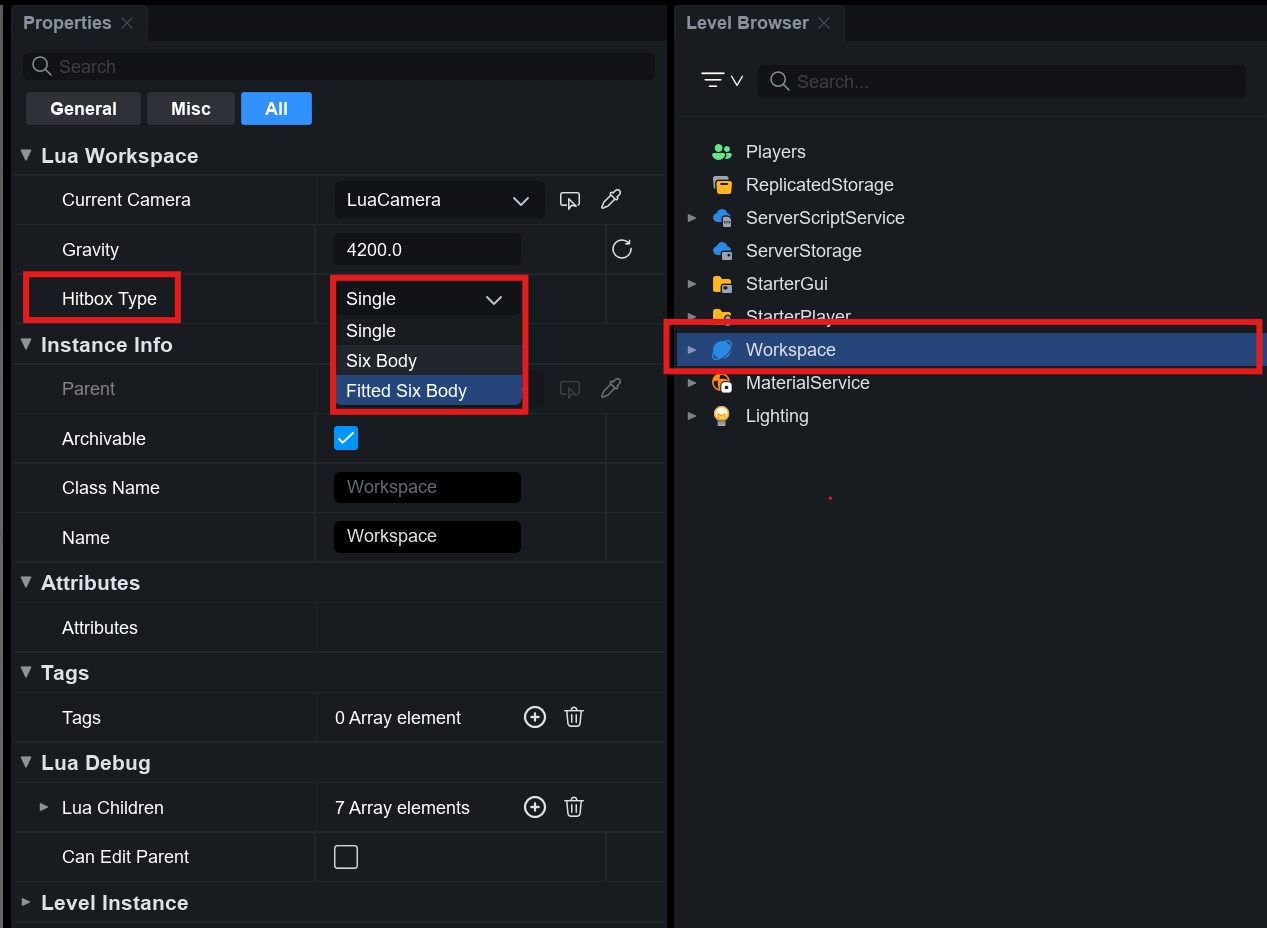
Hitbox options can be configured in the **Workspace**. Once hitbox is set in the **Workspace**, all character hit detection in the world will adhere to the selected hitbox options.
{% hint style="info" %}
**Hitbox options cannot be changed during runtime at the moment**, so they cannot be modified via script while the world is running.
{% endhint %}
The hitbox option offers the following 3 options:
Option
Description
Single
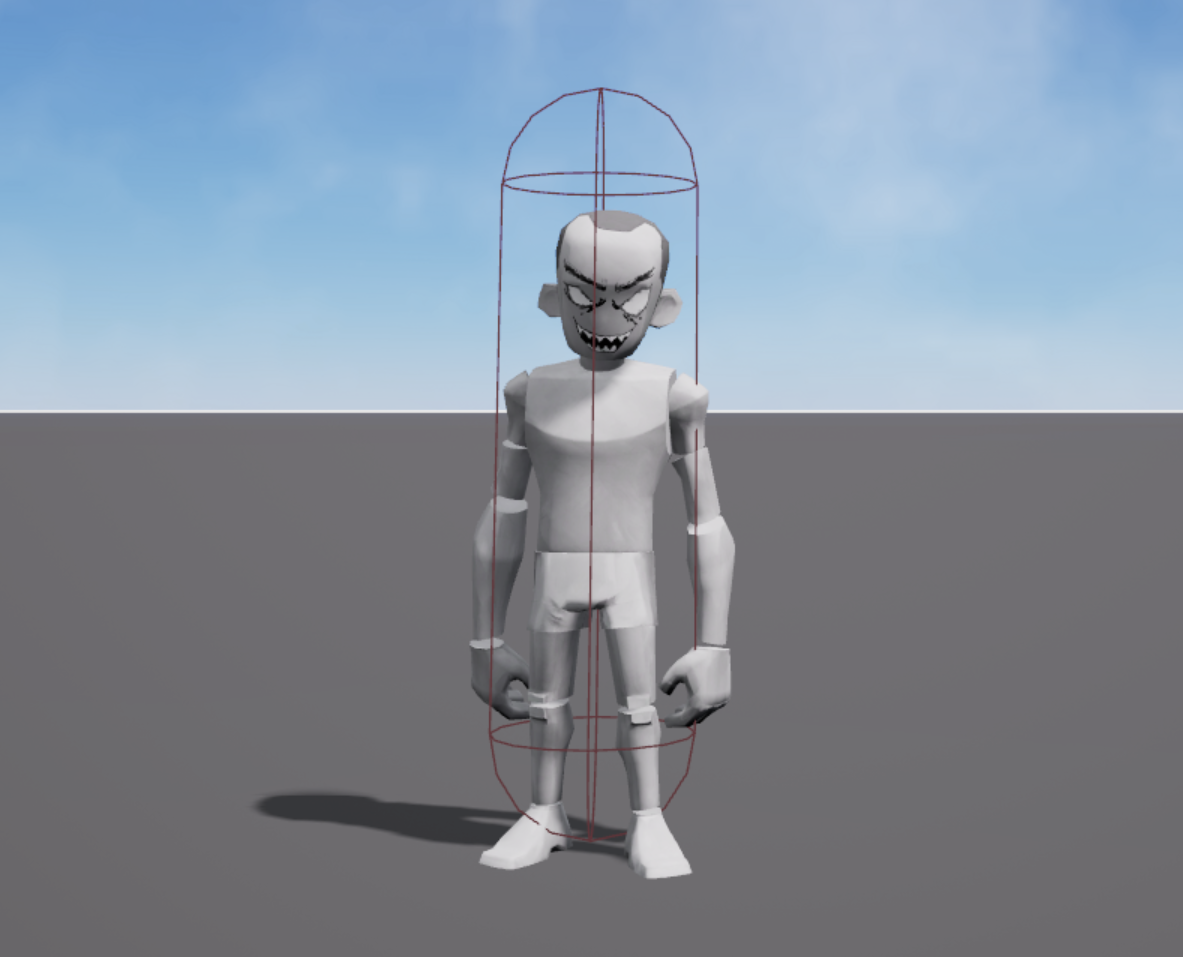
A single hitbox that encapsulates the entire character
SixBody
Fixed hitboxes for key body parts (head, torso, limbs)
FittedSixBody
Six hitboxes adjusted to match the character's shape and clothing
### Hitbox Option Details
#### **Single**
* **Shape**: A single capsule-shaped hitbox centered on the HumanoidRootPart
* **Features**:
* Ideal for simple, performance-focused worlds
* Recommended when part-specific hit detection isn't needed
* Uses a persistent capsule-shaped hitbox
#### **SixBody**
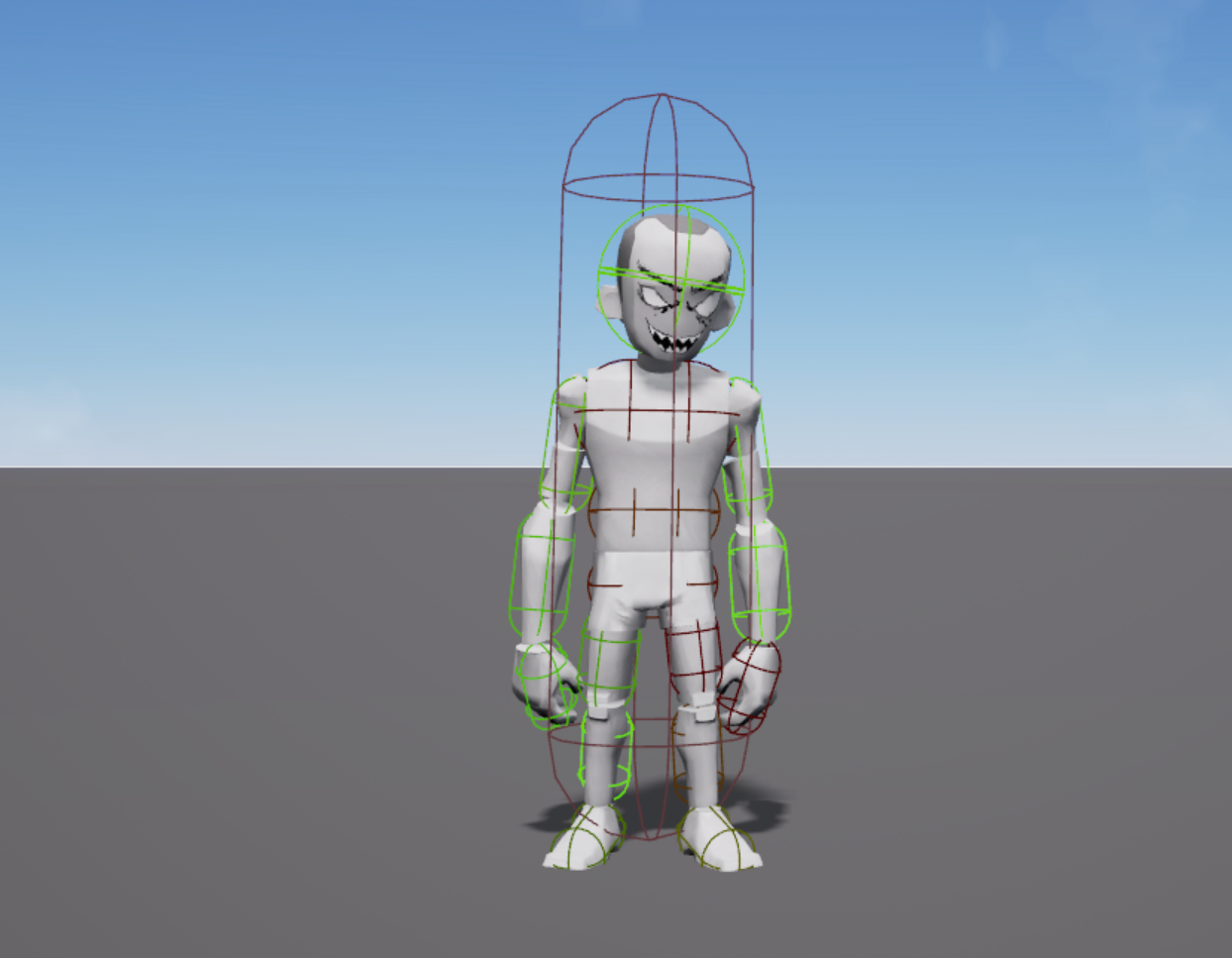
The character is divided into **six fixed body parts: head, torso, arms, and legs**. Separate hitboxes are generated for each part. Each MeshPart contains multiple hitboxes, based on the **Bone Structure defined in the character guide**.
Both **Touched events** and **Raycast** are detected based on the **MeshPart that the hitbox belongs to**. For example, the left arm contains three hitboxes: Upper Arm, Lower Arm, and Hand. Regardless of which hitbox is hit, **Touched events are triggered** for the LeftArm MeshPart.
***\*If using the Single option, part-specific hitboxes are not generated.***
* **Shape**: Divides the body into six parts (head, torso, arms, legs), each with multiple hitboxes
* **Features**:
* Best suited for precise hit detection, such as per-limb damage or headshots
* Uses a fixed detection layout, regardless of avatar appearance
* **Touched events** and **Raycast** work based on the MeshPart of their hitbox
#### **FittedSixBody**
Dynamically adjusts the size and position of the hitboxes on the six body parts to fit the avatar's clothing or shape.
* **Shape**: Adjusts the size and position of the hitboxes to fit the body shape based on the **SixBody structure**
* **Features**:
* Ideal for custom avatars and various outfits
* Hitbox position is dynamically adjusted based on player appearance
* **Touched events** and **Raycast** function the same as in **SixBody**
## Using the Hitbox System in Physics-Based Interactions
### Using Collision Groups Based on Hitbox Options
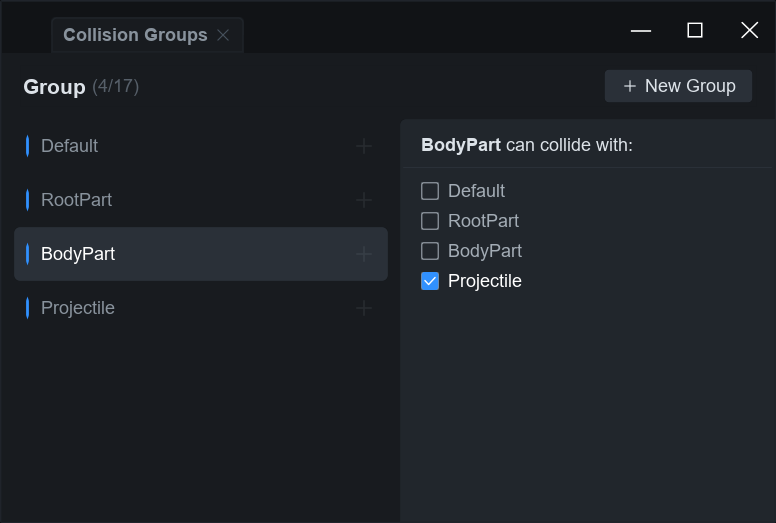
OVERDARE Studio provides **4 system Collision Groups** for physics-based hit detection:
Collision Group
Description
Notes
Default
The default group for most general Parts and MeshParts
RootPart
Group for the character's HumanoidRootPart
Activated when using SixBody or FittedSixBody
BodyPart
Group for character body parts (arms, legs, and torso)
Activated when using SixBody or FittedSixBody
Projectile
Group for projectiles intended to collide with BodyPart
Activated when using SixBody or FittedSixBody
> **Collision Groups are activated/deactivated based on the selected hitbox option.**
### Collision Group Behavior by Hitbox Option
* **Single Option**
* Only the Default group is activated.
* The HumanoidRootPart belongs to the Default group.
* **SixBody, FittedSixBody Option**
* RootPart, BodyPart, and Projectile groups are automatically activated
* In this case, the HumanoidRootPart is reassigned to the RootPart group
* It's recommended to assign Objects that physically collide with BodyPart to the Projectile group.
### Handling Collisions Between Groups
#### **Default - RootPart**
* The reason characters don't fall through the ground is because the HumanoidRootPart (RootPart group) can collide with most Objects in the Default group.
* When using the **SixBody** or **FittedSixBody** option, the HumanoidRootPart is reassigned to the RootPart group. Therefore, **Default – RootPart collisions must be activated** for the character to interact properly.
* But with the **Single** option, the HumanoidRootPart remains in the Default group, so **collisions work normally without additional setup.**
#### **Default - BodyPart**
* Even if you activate Default – BodyPart collisons, there may be **little noticeable impact** since Default – RootPart collisions are already in effect.
* If you need **part-specific hit detection**, it's more effective to use the Projectile group to handle collisions between projectiles and BodyPart.
#### **RootPart - Projectile**
* When using the **SixBody** or **FittedSixBody** options, make sure to **deactivate collisions between projectiles and the RootPart**.
* This helps prevent unintended hit detection on areas outside the intended body parts.
#### **BodyPart - Projectile**
* With the **SixBody** and **FittedSixBody** options, **projectiles must be able to collide with BodyPart,** so make sure this collision is **activated**.
### Implementing Hit Detection Through Physical Collisions
Hit detection from physical collisions can be handled using the **Touched event** of the MeshParts that make up the character's body.
But for projectiles that move according to physics, there's a chance of them passing through targets without triggering a collision, depending on their speed. For fast-moving Objects like bullets, it's recommended to use Raycast instead of Touched for hit detection.
{% hint style="warning" %}
We've identified an issue where the Touched event behaves unexpectedly depending on the Collision Group and CanCollide settings. This issue will be resolved soon.
{% endhint %}
#### Hit Detection Using Touched Events
local Players = game:GetService("Players")
local LocalPlayer = Players.LocalPlayer
local Character = LocalPlayer.Character

local function AttachEvent(character)
    local BodyParts =
    {
	character.Head,
	character.Torso,
	character.RightArm,
	character.LeftArm,
	character.RightLeg,
	character.LeftLeg
    }

    for _,part in ipairs(BodyParts) do
	part.Touched:Connect(function(otherPart)
	    if(otherPart.Name == "Baseplate") then return end
	    print(part.Name .. " is Hit!")
        end)
    end
end
AttachEvent(Character)
{% embed url="" %}
## Using the Hitbox System with Raycast-Based Detection
Depending on the hitbox option, the **parts detected by Raycast** may vary, which can affect how hits are detected.
Hitbox Option
HumanoidRootPart Detection
Body MeshPart Detection
Single
✅ Detected
❌ Not detected
SixBody, FittedSixBody
❌ Not detected
✅ Detected
* **Single Option**
* Raycast detects only the HumanoidRootPart.
* **Body MeshParts** such as the head, arms, and legs **are not detected.**
* **SixBody, FittedSixBody Option**
* Raycast detects Body MeshParts (Head, Torso, Arms, Legs).
* **HumanoidRootPart is excluded from detection,** so this option is not suitable when only central hit detection is needed.
* For **precise hit detection by body part**, use `SixBody` or `FittedSixBody` and apply Raycast at the `MeshPart` level.
* For **simple central collision detection**, the `Single` option is ideal, and in this case, `HumanoidRootPart` alone is sufficient for hit detection.
## Recommended Handling Method in Multiplayer (Network) Environments
### Processing Hit Detection on the Client Side
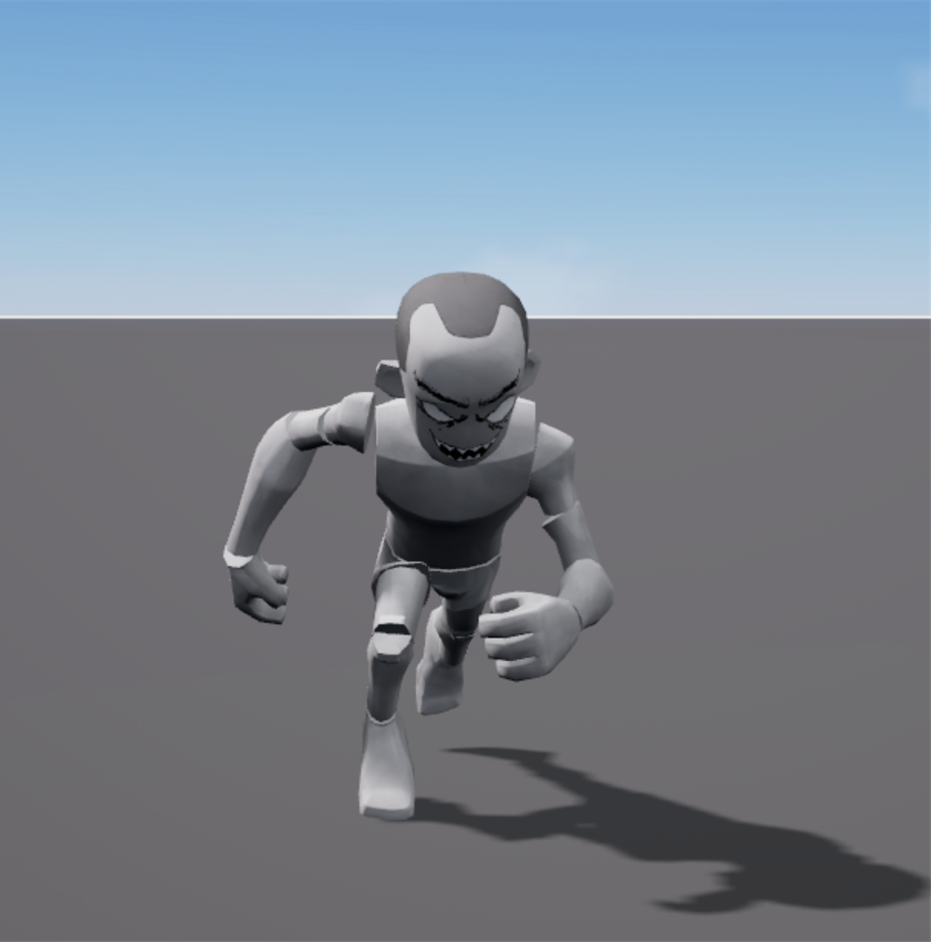
The server **does not play character animations**, so hitbox collisions and hit detection must be **handled on the client**, **based on the character's actual pose as seen on the screen**.
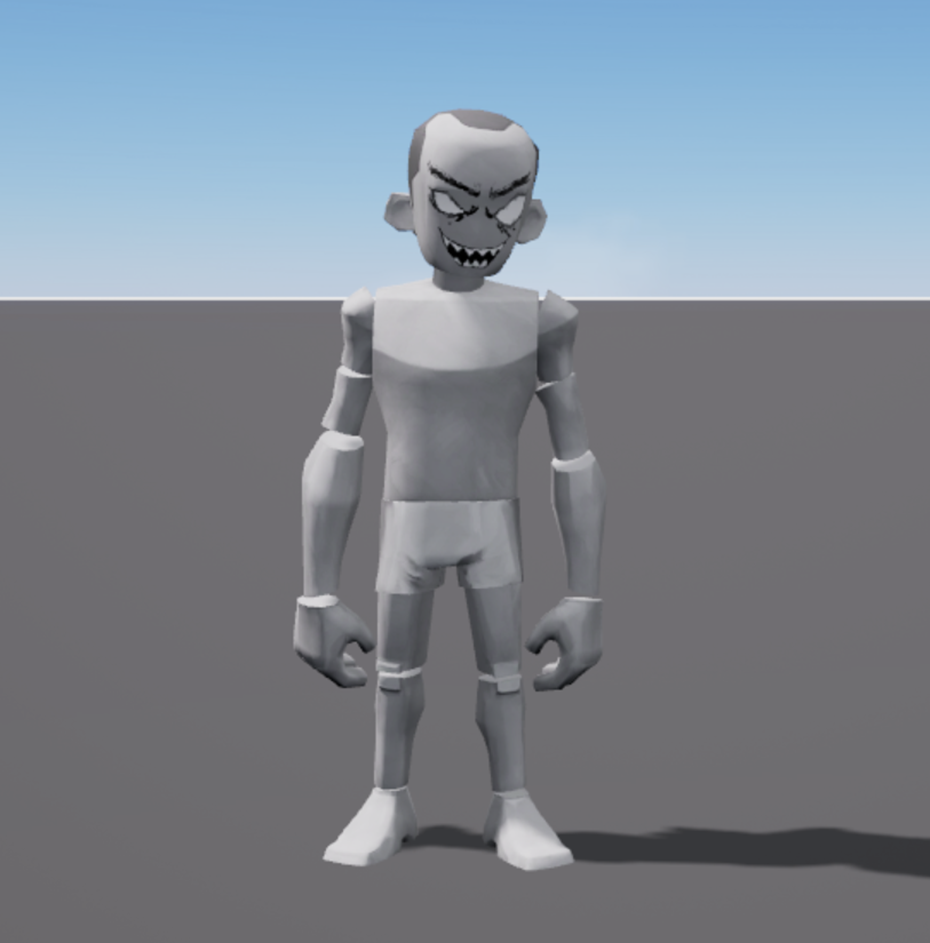
For example, even if the character is raising their hand while dancing on the client, the server only **recognizes the default standing-still pose**. This means that if a projectile is fired at the raised hand, the server **may ignore the hit** because it doesn't recognize the hand as being raised.
So when using the **SixBody** or **FittedSixBody** hitbox options, the following approach is recommended:
* **Client**: Processes hit detection based on the visibility state of the character
* **Server**: Receives hit results (damage, hit confirmation, etc.) from the client and processes them for synchronization
On the client, the running animation is played,
but on the server, the pose data for character animation is not applied.
### Consistent Visual Synchronization of Projectiles
To make sure projectiles **appear consistently across all clients**, the following approach is recommended:
* **Server**: Sends only the projectile's position and velocity data to each client
* **Client**: Uses that data to generate the projectile and handle visual effects independently
> This method reduces server load, minimizes latency, and distributes some of the processing to clients, which helps provide stable performance in most multiplayer games.
### Sending and Verifying Results on the Server
* The client sends the hit detection results (e.g., hit location, damage amount) to the **server**.
* The server then **broadcasts this information to all clients** to synchronize the state.
* If needed, the server can **verify or adjust** the client's hit result.
### Preventing Server-Client Discrepancies
* Since the server always recognizes characters in their **default pose**, **client-side hit detection should take priority** for accurate results.
* For **consistent gameplay experience**, the server should **rely on the client's hit results** while also having a system in place for **validating them**.
## Selecting Hitbox Type
| World Style/Requirementes | Recommended Hitbox Options |
| ------------------------------------------------------------------- | -------------------------- |
| Performance-first, simple hit detection | Single |
|
Precise detection for headshots and part-specific effects
| SixBody |
| Adaptive hit detection based on avatar appearance | FittedSixBody |