> For the complete documentation index, see [llms.txt](https://docs.overdare.com/llms.txt). Markdown versions of documentation pages are available by appending `.md` to page URLs; this page is available as [Markdown](https://docs.overdare.com/korean/manual/script-manual/events-and-communication/bindableevent.md).
# 같은 환경 내 통신
## 개요
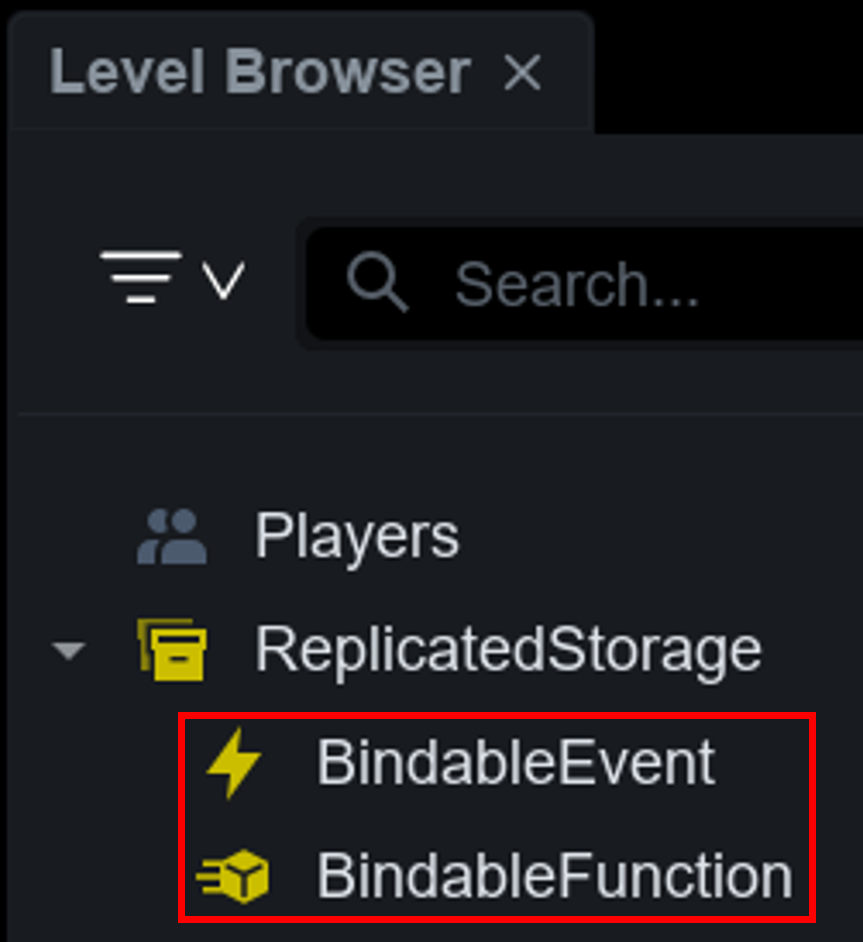
서버와 서버 또는 클라이언트와 클라이언트처럼 **같은 환경 안에 있는 스크립트끼리** 통신할 때는 **BindableEvent** 또는 **BindableFunction**을 사용합니다.
알림만 보내고 바로 다음 줄로 넘어가면 되는 경우에는 BindableEvent를, 처리 결과를 돌려받아야 하는 경우에는 BindableFunction을 사용합니다.
이 두 오브젝트는 클라이언트와 서버 경계를 넘지 못합니다. 경계를 넘는 통신에는 RemoteEvent나 RemoteFunction을 사용해야 합니다.
## BindableEvent와 BindableFunction 오브젝트
**BindableEvent**는 같은 환경간의 이벤트를 처리하기 위해 제공되는 오브젝트로 **단방향 통신**을 지원합니다. 발송한 스크립트는 멈추지 않고 계속 실행됩니다.
**BindableFunction**은 같은 환경간의 요청과 응답을 처리하기 위해 제공되는 오브젝트로 **양방향 통신**을 지원합니다. 호출한 스크립트는 처리 함수가 값을 반환할 때까지 **대기(yield)**합니다.
| 항목 | BindableEvent | BindableFunction |
|---|
| 통신 방향 | 단방향 (알림) | 양방향 (요청과 응답) |
| 발송 측 동작 | 멈추지 않고 계속 실행 | 반환값이 올 때까지 대기 |
| 연결 방식 | Event:Connect(함수) — 여러 개 연결 가능 | OnInvoke = 함수 — 하나만 설정 가능 |
| 반환값 | 받을 수 없음 | Tuple로 여러 값 수신 |
| 수신 측 오류 | 다른 연결 함수에 영향 없음 | 호출한 쪽으로 오류가 전파됨 |
결과를 받을 필요가 없는 **통보성 통신에는 BindableEvent를 사용하세요.** 동기 함수는 호출한 쪽을 멈추게 하므로, 처리 시간이 길어지면 게임 흐름 전체가 함께 지연됩니다.
> **💡 Tip.** 용도가 서버에서 서버로의 통신인지(Server to Server), 클라이언트에서 클라이언트로의 통신인지를(Client to Client) 명확히 구분하기 위해, **이름에 접두어**로 **S2S\_** 또는 **C2C\_**를 사용하는 것을 권장합니다. 이는 오브젝트의 역할을 직관적으로 이해할 수 있게 하여 코드의 가독성과 유지보수성을 높입니다.

## BindableEvent를 이용한 통신 구현
BindableEvent로 이벤트 발송시 **인자(Arguments)**를 함께 전송할 수 있습니다. 인자는 Fire 메서드 호출 시 전달되며, 수신 측에서 해당 데이터를 콜백 함수로 받을 수 있습니다.
### Server ➡ Server
**Script1에서**
```lua
local ReplicatedStorage = game:GetService("ReplicatedStorage")
local S2S_SomeEvent = ReplicatedStorage:WaitForChild("S2S_SomeEvent")
local function TestFire()
local SomeText = "BindableEvents"
S2S_SomeEvent:Fire(SomeText) -- Passing arguments
end
```
**Script2에서**
local ReplicatedStorage = game:GetService("ReplicatedStorage")
local S2S_SomeEvent = ReplicatedStorage:WaitForChild("S2S_SomeEvent")

local function OnSomeEvent(text)
    print("[SomeEvent]", "Parameter : ", text)
end
S2S_SomeEvent.Event:Connect(OnSomeEvent)
### Client ➡ Client
**LocalScript1에서**
```lua
local ReplicatedStorage = game:GetService("ReplicatedStorage")
local C2C_SomeEvent = ReplicatedStorage:WaitForChild("C2C_SomeEvent")
local function TestFire()
local SomeText = "BindableEvents"
C2C_SomeEvent:Fire(SomeText) -- Passing arguments
end
```
**LocalScript2에서**
```lua
local ReplicatedStorage = game:GetService("ReplicatedStorage")
local C2C_SomeEvent = ReplicatedStorage:WaitForChild("C2C_SomeEvent")
local function OnSomeEvent(text)
print("[SomeEvent]", "Parameter : ", text)
end
C2C_SomeEvent.Event:Connect(OnSomeEvent)
```
## BindableFunction을 이용한 통신 구현
처리 측 스크립트가 `OnInvoke`에 처리 함수를 **대입**하고, 호출 측 스크립트가 `Invoke` 메서드로 호출합니다. `Invoke` 호출 시 전달한 인자는 처리 함수로 그대로 전달되며, 처리 함수의 `return` 값이 호출 측으로 돌아갑니다.
### Server ➡ Server
**Script1에서 (처리 측)**
```lua
local ReplicatedStorage = game:GetService("ReplicatedStorage")
local S2S_GetPlayerScore = ReplicatedStorage:WaitForChild("S2S_GetPlayerScore")
local ScoreTable = {}
local function OnGetPlayerScore(userId)
local score = ScoreTable[userId] or 0
return score, score >= 100 -- 여러 값을 한 번에 반환
end
S2S_GetPlayerScore.OnInvoke = OnGetPlayerScore -- Connect가 아닌 대입
```
**Script2에서 (호출 측)**
```lua
local ReplicatedStorage = game:GetService("ReplicatedStorage")
local S2S_GetPlayerScore = ReplicatedStorage:WaitForChild("S2S_GetPlayerScore")
local function PrintScore(player)
-- 반환값이 도착할 때까지 이 줄에서 대기
local score, isTop = S2S_GetPlayerScore:Invoke(player.UserId) -- Passing arguments
print("[GetPlayerScore]", player.Name, " / score : ", score, " / isTop : ", isTop)
end
```
### Client ➡ Client
**LocalScript1에서 (처리 측)**
```lua
local ReplicatedStorage = game:GetService("ReplicatedStorage")
local C2C_GetSelectedSlot = ReplicatedStorage:WaitForChild("C2C_GetSelectedSlot")
local SelectedSlot = 1
local function OnGetSelectedSlot()
return SelectedSlot
end
C2C_GetSelectedSlot.OnInvoke = OnGetSelectedSlot
```
**LocalScript2에서 (호출 측)**
```lua
local ReplicatedStorage = game:GetService("ReplicatedStorage")
local C2C_GetSelectedSlot = ReplicatedStorage:WaitForChild("C2C_GetSelectedSlot")
local function UseCurrentSlot()
local slot = C2C_GetSelectedSlot:Invoke()
print("[GetSelectedSlot]", "Slot : ", slot)
end
```
### 처리 함수(OnInvoke) 규칙
`OnInvoke`는 이벤트가 아니라 **함수를 담는 프로퍼티**입니다. `Event`와 사용법이 다르므로 아래 세 가지를 기억하세요.
* **`:Connect()`를 사용할 수 없습니다.** `OnInvoke = 함수` 형태로 대입합니다.
* **하나의 함수만 유지됩니다.** 여러 번 대입하면 마지막에 대입한 함수만 실행됩니다.
* **`return`을 빠뜨리면 호출 측이 `nil`을 받습니다.** 받은 값을 그대로 사용하면 이후 코드에서 오류가 발생할 수 있습니다.
```lua
local ReplicatedStorage = game:GetService("ReplicatedStorage")
local S2S_SomeFunction = ReplicatedStorage:WaitForChild("S2S_SomeFunction")
S2S_SomeFunction.OnInvoke:Connect(SomeFunction) -- 불가능. OnInvoke는 이벤트가 아닙니다
S2S_SomeFunction.OnInvoke = SomeFunction -- 올바른 사용
```
호출이 겹쳐도 처리 함수는 각각 실행됩니다. 처리 중에 `OnInvoke`를 다른 함수로 바꾸면, 이미 진행 중이던 호출은 **바꾸기 전 함수로 끝까지 처리되고** 그 이후의 새 호출부터 새 함수가 사용됩니다.
## 주의 사항
### 처리 함수를 설정하지 않으면 영원히 멈춥니다
`OnInvoke`가 설정되지 않은 BindableFunction을 호출하면 **오류도 타임아웃도 없이 호출한 스레드가 영구히 멈춥니다.** 대기를 중단시키는 수단은 제공되지 않습니다.
* 호출보다 처리 함수 대입이 먼저 끝나도록 초기화 순서를 설계하세요.
* 처리가 오래 걸릴 수 있다면 BindableEvent로 요청을 보내고, 완료 시 별도 이벤트로 알리는 방식을 검토하세요.
**멈춤과 오류는 증상으로 구분할 수 있습니다.** `OnInvoke`에 함수가 아닌 값(모듈 테이블 등)을 대입하면 **대입 자체는 조용히 통과하고**, 호출하는 순간 오류가 발생합니다. 즉 아무 반응 없이 멈추면 처리 함수가 **설정되지 않은 것**이고, 호출하자마자 오류가 나면 **함수가 아닌 값이 대입된 것**입니다.
BindableEvent에는 이런 멈춤이 없습니다. 연결된 함수가 없어도 `Fire`를 호출한 스크립트는 그대로 계속 실행됩니다.
### 처리 함수의 오류는 호출한 쪽으로 전파됩니다
BindableFunction의 처리 함수에서 발생한 오류는 호출한 쪽으로 그대로 전달되어 호출 측 코드를 중단시킵니다. 실패할 수 있는 처리라면 `pcall()`로 감싸거나, 오류 대신 성공 여부를 반환값으로 돌려주세요.
```lua
-- 오류를 포착하는 방법
local isSuccess, result = pcall(function()
return S2S_GetPlayerScore:Invoke(userId)
end)
-- 오류 대신 결과를 반환하는 방법 (권장)
local function OnGetPlayerScore(userId)
if typeof(userId) ~= "number" then
return false, "invalid userId"
end
return true, ScoreTable[userId] or 0
end
```
BindableEvent는 연결된 함수마다 별도의 스레드에서 실행되므로, 하나가 오류를 내도 다른 함수와 발송한 쪽은 영향을 받지 않습니다.
### 인자로 넘긴 테이블은 복사본입니다
두 오브젝트 모두 전달한 테이블을 **복사해서** 수신 측에 넘깁니다. 수신 측이 인자 테이블을 채워도 보낸 쪽 원본은 비어 있으므로, 필요한 값은 반드시 **반환값으로 받아야 합니다.** 메타테이블은 전달되지 않으므로 메서드를 가진 객체를 그대로 넘길 수 없습니다.
```lua
local Box = {}
-- 동작하지 않는 방식
BindableFunction.OnInvoke = function(t) t.result = 42 end
BindableFunction:Invoke(Box)
print(Box.result) --> nil (처리 함수가 채운 것은 복사본입니다)
-- 올바른 방식
BindableFunction.OnInvoke = function(t) t.result = 42 return t end
local Result = BindableFunction:Invoke(Box)
print(Result.result) --> 42
```
테이블을 인자로 넘길 때는 **키를 모두 문자열로 통일하세요.** 배열 원소와 이름을 붙인 필드를 한 테이블에 섞으면 이름 필드가 사라지고, 인스턴스나 함수를 키로 쓰면 문자열로 바뀌어 원래 키로 조회할 수 없습니다. 이 과정에서 **오류나 경고는 발생하지 않습니다.**
```lua
-- 위험 — owner와 level이 사라집니다
BindableFunction:Invoke({ "칼", "활", owner = "Diva", level = 7 })
-- 안전 — 배열을 한 겹 안으로 넣습니다
BindableFunction:Invoke({ items = { "칼", "활" }, owner = "Diva", level = 7 })
```
## 고급 활용
* 반환값이 필요 없는 통신은 **BindableEvent**를 사용해 호출 측이 멈추지 않도록 합니다.
* 단순히 값이나 함수를 공유하는 목적이라면 **ModuleScript**가 더 간단하고 빠릅니다. Bindable 계열은 스크립트 간 결합을 느슨하게 유지해야 할 때 사용합니다.
* 처리 함수 안에서 오래 대기하는 작업(`task.wait`, 외부 통신 등)을 수행하지 않습니다. 호출 측이 그만큼 함께 멈춥니다.
* 하나의 오브젝트로 여러 종류의 요청을 처리할 때는 **요청 유형**을 나타내는 첫 번째 인자를 추가합니다.
* 서로 다른 플레이어의 클라이언트끼리는 이 오브젝트들로 통신할 수 없습니다. 이 경우 서버를 거치는 RemoteEvent나 RemoteFunction을 사용해야 합니다.